3-2-1 Backup for UK Small Businesses: A Practical Guide Without a Sysadmin
Three copies, two media, one off-site. It sounds simple until ransomware deletes your backups too. Discover how to set it up properly for your business.
by Cleverson Gouvêa
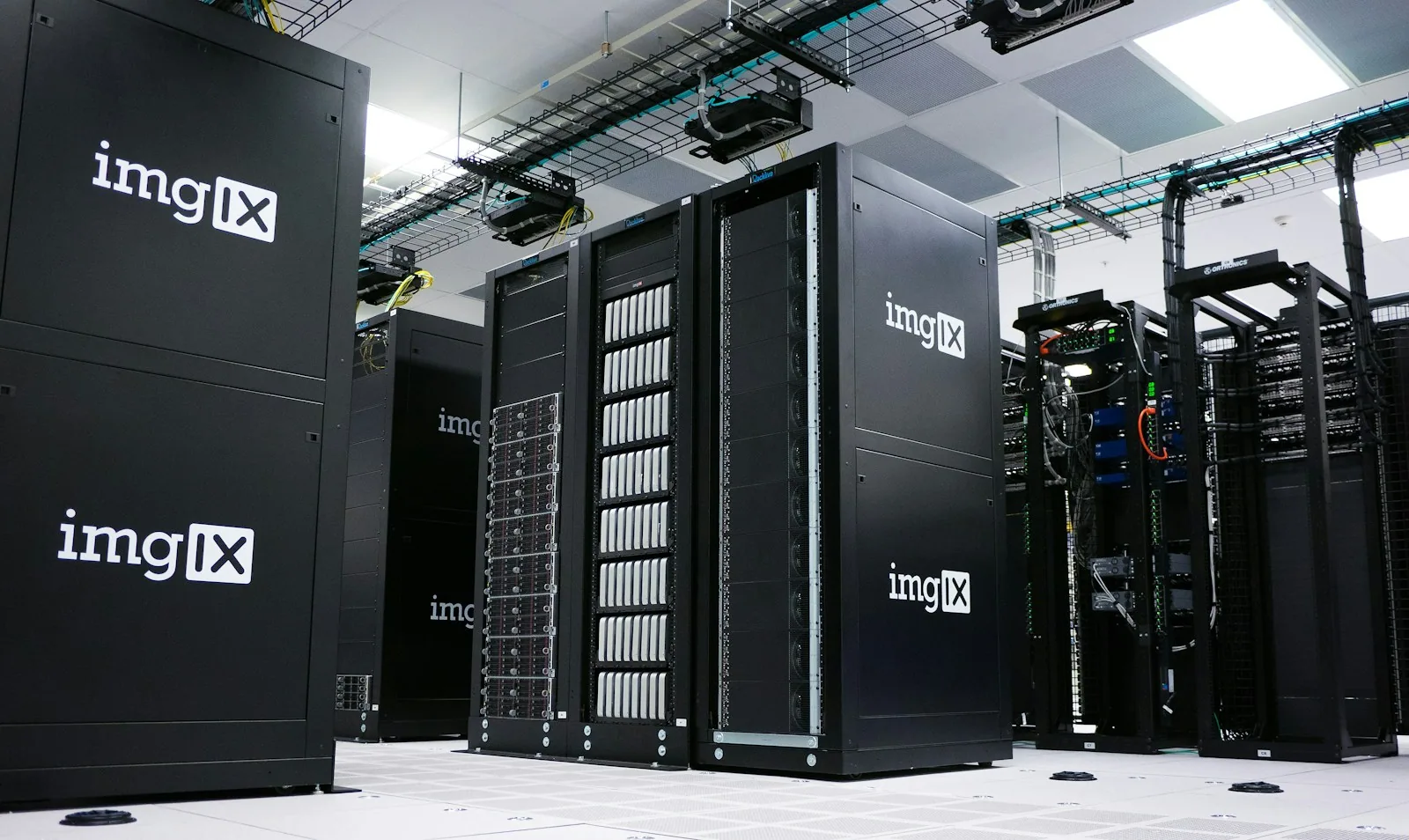
The 3-2-1 backup rule is the simplest data protection principle: three copies of your files, on two different types of media, with one copy stored off-site. A small business can implement 3-2-1 backup without hiring a full-time sysadmin. This guide shows you how, what it costs in 2026, when the rule isn't enough, and the common pitfalls we see in businesses that think they already have a backup.
TL;DR
- 3-2-1 = 3 copies, 2 different media types, 1 off-site. Synchronisation (Google Drive, OneDrive, Dropbox) does not count as one of these copies.
- Today's ransomware targets the backup itself. Veeam reported that 96% of 2024 attacks targeted backup repositories. That's why the off-site copy needs to be immutable or offline.
- Object cloud storage starts from US$6.95 per TB/month (Backblaze B2) and US$7.99 per TB/month (Wasabi, as of July 2026). For most SMEs, the monthly cost is less than a team lunch.
- A backup that has never been restored is a hypothesis, not a backup. Test restoration at least once per quarter.
- Setup takes 2 to 4 weeks. What requires specialist expertise is the initial design and restoration testing, not the daily operation.
I'm Cleverson Gouvêa, founder of Agathas Web. Since 2008, I've managed Linux servers, managed hosting, Moodle environments for educational institutions, and, in recent years, the infrastructure behind the official WhatsApp API. Backup is the least glamorous part of this work, and the one that weighs most heavily on a bad day. The prices and data in this text were verified in October 2026, with the sources indicated.
What is 3-2-1 Backup and Why It's Still Relevant in 2026
The rule fits into a single sentence, but each number has a reason.
- 3 copies: the original data plus two copies. If one fails, you still have two. The chance of three independent copies dying at the same time is much lower than that of just one.
- 2 different media types: server disk and a NAS, for example, or NAS and cloud. Different media types don't share the same manufacturing defect, the same controller, or the same lightning strike on the electrical network.
- 1 off-site: fire, flood, theft, and ransomware don't respect the server room door. The off-site copy survives the worst day at the office.
The CISA, the US cybersecurity agency, recommends in its official guide against ransomware to maintain offline and encrypted backups of critical data and regularly test the availability and integrity of these copies. The reason is stated clearly: many ransomware variants seek out and delete or encrypt any backups they can reach.
This is where the classic 3-2-1 backup shows its age. It was designed for hardware failure and physical disaster. The 2026 attacker enters via the network, with stolen credentials, and deletes copies before demanding a ransom. That's why the modern version of 3-2-1 backup has gained two more numbers.
The Evolution: 3-2-1-1-0
- +1 immutable or offline copy: a copy that nobody can delete or alter for a period, not even with administrator credentials.
- 0 errors in verification: restoration was tested and worked.
This isn't vendor marketing. The 3-2-1 backup with these two additions is the direct response to how attacks happen today.
Why Ransomware Targets Backups First
Market report figures are clear about the target.
- Veeam's 2024 Ransomware Trends Report indicated that 96% of ransomware attacks targeted backup repositories, and in 76% of cases, the attacker managed to compromise some of these copies.
- Sophos, in a 2024 study on compromised backups, showed that 94% of attacked organisations saw attempts against their backups, and businesses with compromised backups spent approximately 8 times more on full recovery than those with intact backups.
- Verizon's 2026 Data Breach Investigations Report recorded ransomware in 48% of analysed breaches.
Translating this for a small business: attackers know that with a clean backup, you won't pay. So the first thing they do after gaining access is look for the NAS mapped as a network drive, the external hard drive left plugged in 24 hours a day, and the cloud service panel with the same password as your email.
In the day-to-day management of servers, the risk pattern repeats: the backup exists, runs every night, and is accessible by the same user who has access to everything. If that user account is compromised, the backup is compromised too. That's why Linux server hardening and two-factor authentication in the business go hand-in-hand with backup. One protects the door; the other ensures there's life after the door has been breached.
The Most Common Mistake: Thinking Synchronisation is Backup
Before setting anything up, it's worth dispelling the belief we most commonly see in small businesses: "everything's in the Drive, so I have a backup".
Google Drive, OneDrive, and Dropbox are synchronisation services. They quickly copy changes from one side to the other. If ransomware encrypts a folder on your computer, the encrypted version is synchronised to the cloud. If someone deletes a folder, it disappears everywhere.
It's true that these services keep old versions and a recycle bin for a while. This helps with minor accidents. It doesn't replace, within a true 3-2-1 backup, an independent copy with retention you control, stored outside of the compromised account.
The same applies to email and documents within Microsoft 365 or Google Workspace. Microsoft's Services Agreement expressly recommends that customers regularly back up their own content. The provider guarantees the service works; the data is your responsibility.
What Counts as a Copy in 3-2-1 Backup
| Item | Counts as a copy? | Why |
|---|---|---|
| Synchronised folder in Drive/OneDrive | No | Replicates deletions and encrypted files |
| RAID on server or NAS | No | Protects against disk failure, not against deletion or ransomware |
| Snapshot of the same volume | Partial | Helps to go back in time, but dies with the equipment |
| NAS with version history | Yes | Second media, local, with retention |
| Object cloud storage with Object Lock | Yes | Off-site and immutable |
| Disconnected external HDD stored off-site | Yes | Offline, but relies on human discipline |
How to Set Up 3-2-1 Backup in a Small Business, Step-by-Step
Setting up 3-2-1 backup involves four steps. None requires a dedicated full-time person; it requires someone who can design it once and a responsible party who reviews the report weekly.
1. Inventory: What You Can't Afford to Lose
List the data that, if it disappeared tomorrow, would halt your business. Typically, these include:
- ERP, management system, or e-commerce database;
- project folders, contracts, and financial documents (e.g., for HMRC);
- email inboxes;
- the website and its database;
- for educational institutions, the entire Moodle environment: database,
moodledata, and code.
For each item, define two numbers: how much work time you're willing to lose (RPO, Recovery Point Objective) and how long you can afford to be down (RTO, Recovery Time Objective). An accountancy firm might accept losing a day's work; an e-commerce store during Black Friday, however, would not.
2. Local Copy: Fast, for Everyday Issues
The second copy stays close: a NAS with version history or a backup server on the same network. This is where you restore the file accidentally deleted on a Tuesday. It needs to be fast, because 90% of restorations are small.
Key considerations:
- the NAS should not appear as a mapped network drive on team computers;
- the user account that writes the backup should not be the same as the everyday user account;
- activate version history and maintain at least 30 days.
3. Off-site and Immutable Copy: The One That Saves You on Attack Day
The third copy of the 3-2-1 backup goes off-site. In 2026, the cheapest and least discipline-dependent approach is S3-compatible object storage with Object Lock, the feature that locks each file against deletion for a defined period. With Backblaze B2, for example, the retention period can be extended but not shortened. Neither you, nor an attacker with your password, can delete it before its expiry.
Mature and free tools handle encrypted uploads: restic (version 0.19.1, July 2026), BorgBackup, and rclone on Linux; solutions like Veeam Agent in Windows environments. Encryption happens before data leaves your business, and the key remains with you.
A real technical pitfall: not all tools play nicely with Object Lock. Routines for cleaning old versions attempt to delete locked files and fail. Backblaze itself warns that simple synchronisation tools often break the job when they encounter an immutable object. Test the tool + locked bucket combination before relying on it.
4. Scheduling, Alerts, and Responsibility
Backup without alerts dies in silence. Configure:
- automatic execution outside business hours;
- email or message when the job fails and, even better, when it doesn't run;
- a named responsible person who checks the weekly report.
It's the cheapest and most forgotten step. The classic scenario is a backup that stopped running months ago, and nobody noticed until it was needed.
What Does 3-2-1 Backup Cost in 2026?
The monthly cost of 3-2-1 backup often surprises people by being lower than expected. The real cost is lost data.
| Component | Price Reference (Oct 2026) | Notes |
|---|---|---|
| Backblaze B2 | US$6.95 per TB/month | 10 GB free; free egress up to 3x stored volume |
| Wasabi Hot Cloud Storage | US$7.99 per TB/month | New pricing since 01/07/2026 for pay-as-you-go |
| 2-bay NAS + 2 drives | one-off investment | Varies greatly by capacity and brand; check the UK market for quotes |
| Software (restic, Borg, rclone) | free | Open source, no per-machine licence |
A practical example: a business with 500 GB of critical data and 90 days of retention rarely exceeds 1 TB stored in the cloud, because modern tools deduplicate and only send what has changed. This comes in at under US$10 per month with Backblaze B2. With the dollar at around £0.80 (as of late 2026, for example, assuming a rough exchange rate), we're talking about something close to £8 to £10 per month. Prices are in US dollars, so check the daily exchange rate and the official B2 pricing page before finalising your budget.
The cost that doesn't appear on the spreadsheet is for hours: designing, configuring, testing the first restoration, and documenting. This is where small businesses often stumble, because nobody on the team has the time or expertise for this.
When 3-2-1 Backup Isn't Enough (and When It's Overkill)
The rule is a floor, not a ceiling. And it doesn't need to be applied to everything with the same rigour.
When It's Not Enough
- Systems that cannot go down. Backup recovers data; it doesn't keep the system running. If an hour of downtime is costly, you need replication or a contingency environment, in addition to backup.
- Databases with many transactions. Copying the database file while it's running creates a corrupted copy. Use consistent dumps or snapshots coordinated with the database.
- Personal data under the UK GDPR. Backup also contains personal data. It requires encryption, access control, and a defined retention period. In the event of an incident with significant risk to data subjects, the ICO (Information Commissioner's Office) requires controllers to report a breach without undue delay, and within 72 hours of becoming aware of it, under the UK GDPR.
When It's Overkill
- Files already residing in a system with vendor backup that you can recreate. Temporary spreadsheets and downloads don't need three copies.
- Test environments. Store the code in the repository and the creation script; don't perform daily backups of disposable machines.
- Gigantic volume of cold data. Archived data can go to a cheaper, slower archiving tier, with annual restoration testing.
Knowing what not to copy reduces costs and makes backing up what matters faster.
Restoration Testing: The "0" That Almost Nobody Does
A backup that has never been restored is a promise. In 3-2-1 backup, testing is what turns the promise into a guarantee.
A simple routine that works for SMEs:
- Monthly: Restore a random file from a critical folder and check if it opens.
- Quarterly: Restore an entire system (the ERP database, the website, Moodle) in a separate environment and time it. This time is your real RTO, not the one on paper.
- Annually: Simulate the worst day. Assume the server and NAS are gone. Can you recover with only the off-site copy? Who holds the encryption key? Where is the password?
That last question derails more plans than any technical failure. An encryption key stored only on the lost server renders the off-site backup useless. Store it in a company password vault and in a physical copy, in a secure location.
In Moodle backup, this becomes clear: a restored course without the corresponding moodledata opens empty. Only a full test reveals this kind of gap.
Common Pitfalls We See in Small Businesses
- External HDD always plugged in. Just becomes another drive for ransomware to encrypt.
- One password for everything. The cloud backup account with the same email password and no second factor.
- Backup only of the server. The director's laptop, with the month's contracts, is left out.
- Retention period too short. Attacks lie dormant for weeks before encrypting. With only 7 days of history, all copies are already contaminated.
- Nobody owns it. The technician who configured it left, and alerts go to an email nobody reads.
- Trusting RAID. RAID protects against disk failure. It doesn't protect against deletion, human error, or attack.
If you recognise two or more items from this list in your business, the problem isn't the tools. It's design and responsibility, which is exactly what an independent technology consultancy with a diagnostic service resolves before an incident, not after.
How Agathas Web Solves This
Most small businesses don't need a hired sysadmin to have a true 3-2-1 backup. They need someone to design it correctly once, test it together, and make the operation simple enough for the team to manage.
In Agathas Web's consultancy service, backup and recovery are one of the vectors we audit in every diagnostic, alongside security, access controls, and UK GDPR compliance. In practice, it works like this:
- Free initial consultation of 30 to 60 minutes to understand your scenario, systems, and what's critical.
- Technical deep dive with read-only access: we map where your data is, how backup runs today, who has access, and if restoration actually works.
- Report with action plan: what to keep, what to correct, the recommended 3-2-1 architecture for your size, estimated monthly cost, and 30-day quick wins.
- Implementation and restoration testing, if you'd like us to execute it, or monthly follow-up in a CTO as a Service format, for your team to execute with senior review.
The work is led by a company partner, with over 15 years operating servers, Moodle in production, managed hosting, and integrations with the official WhatsApp API. We don't resell backup software, so the recommendation is what serves you, not what pays commission. The work begins with a bilateral NDA.
Conclusion: 3-2-1 Backup is Affordable; Losing Data Isn't
3-2-1 backup remains the right foundation for small businesses in 2026, provided it's updated for today's attacks: an immutable or offline copy, separate access, and scheduled restoration testing. Object cloud storage costs a few dollars per terabyte, and the best tools are free. What's missing for most SMEs isn't budget; it's design and a responsible party.
Start with this week's inventory: list what can't be lost and ask when the last restoration was tested. If the answer is 'never' or 'I don't know', schedule a diagnostic with Agathas Web and leave with a backup plan you can prove works.
Related posts
Hosting SLA Explained: Uptime, Downtime, and Maintenance for UK Businesses
99.9% sounds near perfect, but it allows for 43 minutes of downtime each month. Discover what your contract truly guarantees and where the small print hides.
Outgrowing Shared Hosting: 5 Clear Signs It's Time to Move On
Peak 508 errors, high TTFB, and emails landing in spam: these are the five key indicators your website has outgrown shared hosting. We also cover when it's still best to stay put.

Data Breach Response Plan UK: Notifying the ICO and Individuals
72 hours to notify the ICO and affected individuals. See who does what, what to communicate, and a checklist for the first 72 hours.