PHP2Shell Vulnerability: Essential Mitigation for UK Servers and Why It's Not Enough
The official three adjustments buy time, not security. Discover where to apply them, how to restart each PHP worker, and what to do until the full patch arrives.
by Cleverson Gouvêa
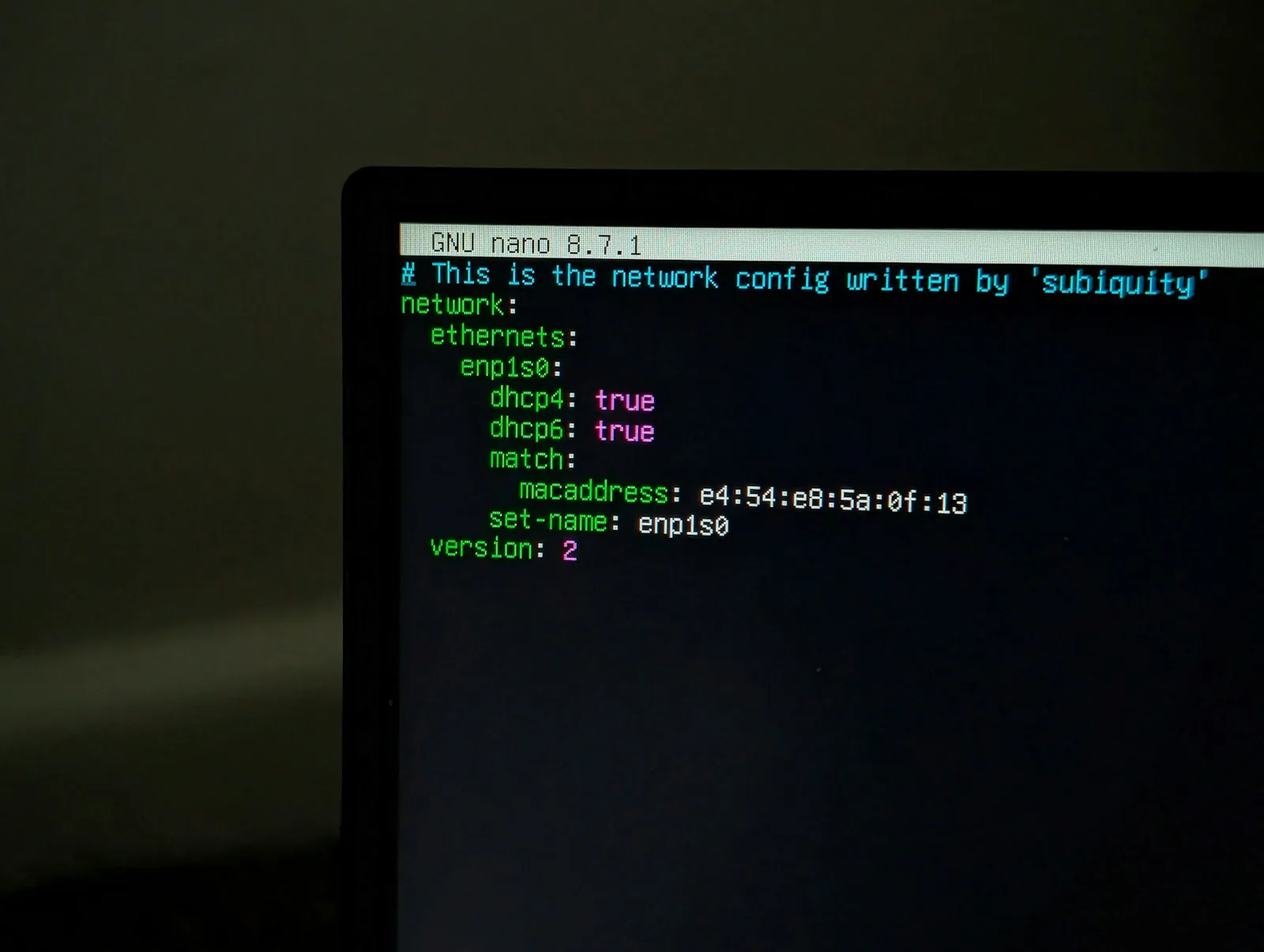
The PHP2Shell mitigation you apply today in php.ini buys time, but it doesn't close the door. The two flaws (CVE-2026-109618 and CVE-2026-109619) allow remote code execution without authentication on virtually any exposed PHP server. In this guide, I'll show you what to configure while the update is pending, how to properly restart all PHP workers, and why the PHP team themselves state that these measures don't replace the full patch.
TL;DR
- PHP2Shell comprises two critical vulnerabilities (CVSS 4.0 = 9.2), requiring no authentication. The fix was released on 21/10/2026 in versions 8.5.12, 8.4.27, 8.3.36 and 8.2.35.
- The official PHP2Shell mitigation involves three adjustments:
memory_limit=-1,session.upload_progress.enabled=0and, for PHP 8.5,fatal_error_backtraces=0. These reduce exposure but do not make the server secure.- Configuration changes are only effective after each PHP process is restarted: FPM, Apache with mod_php, queues, long-running workers, and containers.
- PHP 7.4 to 8.1 only have minimal source code backports. PHP 5.4 to 7.3 have no fix whatsoever: migration is the only option.
- On 23/10, an additional alert was issued (CVE-2026-115560). Those who have already disabled upload progress are covered until the next regular release.
What is PHP2Shell and why the urgency
PHP2Shell is the moniker for two core PHP vulnerabilities that allow an anonymous attacker to run code on your server with a well-crafted HTTP request. No password, vulnerable plugin, or application error is required.
- CVE-2026-109618 is an out-of-memory corruption. PHP runs out of memory mid-request assembly, leaving internal structures incomplete, and then uses this invalid data during cleanup.
- CVE-2026-109619 is an obsolete global state issue, a use-after-free between requests. An internal state survives the memory of the previous request, and the next request handled by the same worker acts upon this remnant.
The timeline explains the urgency. According to Tenable's FAQ, Amazon recorded an exploitation attempt on its honeypots on 17/10, four days before disclosure. Details leaked on social media on 20/10, ahead of the agreed date, and PHP brought forward the patch to 21/10/2026. watchTowr reports exploitation attempts on its honeypot network since the 21st.
The scope is also alarming. Palo Alto Networks (owner of Unit 42) stated they identified over 22.6 million potentially vulnerable exposed instances, as per TechTarget. Other counts are lower, as each company measures differently. The message is the same for all: if you run WordPress, Laravel, Moodle, or a custom PHP system, you are in scope.
Which versions are affected
| PHP Branch | Status | What to do |
|---|---|---|
| 8.5 | Fixed in 8.5.12 | Update immediately |
| 8.4 | Fixed in 8.4.27 | Update immediately |
| 8.3 | Fixed in 8.3.36 | Update immediately |
| 8.2 | Fixed in 8.2.35 | Update and plan for end-of-life (31/12/2026) |
| 7.4, 8.0 and 8.1 | No official release; only minimal source code backports | Use distro/LTS package or migrate to 8.2+ |
| 5.4 to 7.3 | No fix | Migrate or take offline |
PHP2Shell Mitigation: Three Official Adjustments
The PHP security advisory lists three PHP2Shell mitigation configurations for those who cannot update yet. Each addresses a specific exploitation path, and none covers everything.
1. memory_limit=-1 (against CVE-2026-109618)
The out-of-memory flaw relies on PHP hitting a memory ceiling at a predictable point. With memory_limit=-1, this per-request ceiling ceases to exist. PHP requests that the adjustment be made in a way that the application cannot override it, for example, with php_admin_value in the FPM pool or Apache configuration, and that you verify no pool, directory, or application reintroduces a finite limit.
The PHP team issues a warning that catches many off guard: do not substitute with RLIMIT_AS or RLIMIT_DATA, because these operating system limits can precisely trigger the vulnerable allocation failure.
2. session.upload_progress.enabled=0 (against CVE-2026-109619)
The session upload progress feature is enabled by default and is one of the confirmed exploitation paths. Disabling it closes this path. PHP itself warns that this "blocks confirmed session paths, but not other variants."
3. fatal_error_backtraces=0 (PHP 8.5 only)
In PHP 8.5, the fatal error backtrace is another confirmed path for CVE-2026-109619. Disabling it blocks only this path.
Where to place (and where not to place)
The golden rule of PHP2Shell mitigation is simple: the adjustment must be effective before PHP processes the request. Use php.ini, the FPM pool, or the web server configuration. Do not rely on ini_set() or .user.ini, as they take effect too late.
; /etc/php/8.3/fpm/pool.d/www.conf (adjust path to your version)
php_admin_value[memory_limit] = -1
php_admin_value[session.upload_progress.enabled] = 0
; PHP 8.5 only:
php_admin_value[fatal_error_backtraces] = 0
The CIQ guide for Rocky Linux adds two optional reinforcements: post_max_size = 8M when the application doesn't receive uploads (32M when it does, with upload_max_filesize below that) and pm.max_requests = 1 in FPM, which prevents state inheritance between requests at the cost of significant performance.
Why PHP2Shell mitigation is insufficient
Here lies the most costly mistake: applying the three adjustments, seeing the site live, and ticking the task off the list. PHP is direct in its warning: these measures reduce exposure, but they do not make the installation secure. The only complete fix is to update.
There are four practical reasons:
- Partial coverage. PHP2Shell mitigation closes the confirmed paths. Variants that no one has published yet remain open.
- memory_limit=-1 does not eliminate the memory flaw. According to CIQ,
mmap()failures or other allocations can still reach the vulnerable code. You only remove the easiest trigger. - Real side effect. Without a memory limit, a script with an infinite loop or a heavy report can consume the server's entire RAM and trigger the Linux OOM killer. The recommendation is to set a limit per container or cgroup, preferably one group per worker. PHP treats this as an availability barrier, not a complete mitigation.
- WAF helps, but isn't a silver bullet. Cloudflare has published emergency rules, but they only protect traffic passing through it, and the company itself acknowledges that request-based rules cannot reliably distinguish between attack and legitimate traffic.
Quick decision table
| Adjustment | Blocks | Does not block | Cost |
|---|---|---|---|
memory_limit=-1 |
Predictable OOM trigger | mmap() failures and other allocations |
Risk of a script crashing the server |
session.upload_progress.enabled=0 |
Confirmed session paths | Other variants of 109619 | Removes native upload progress bar |
fatal_error_backtraces=0 (8.5) |
Fatal backtrace path | Other paths | Less detail in error logs |
pm.max_requests=1 |
State inheritance between requests | The OOM flaw | Significant performance drop |
| WAF (Cloudflare etc.) | Part of known payloads | Traffic not passing through WAF | False positives |
CISA, the US cybersecurity agency, went further: it recommended taking PHP systems offline if they cannot be patched or run PHP 8.1 or earlier. CERT-EU suggests isolating exposed applications until the fix is applied and verified.
How to restart workers without leaving old processes behind
New configuration and new binaries only take effect when each PHP process is restarted. PHP reiterates this in each item of the advisory: "restart all workers." In practice, this is where many fixes fall short: without a restart, PHP2Shell mitigation only exists in the file.
PHP-FPM and Apache
# Debian/Ubuntu (adjust version)
sudo systemctl restart php8.3-fpm
# Apache with mod_php: full restart, not just graceful
sudo systemctl restart apache2   # or httpd on RHEL/Rocky
I prefer restart over reload for a security fix. It's a brief outage, which you schedule, in exchange for the certainty that no old process has survived.
The processes everyone forgets
CIQ reminds us that all PHP processes need to restart, including long-running CLI jobs. The checklist includes:
- Laravel Queues:
php artisan queue:restart(or Horizon restart) and Octane withphp artisan octane:reload. - Supervisor programs:
sudo supervisorctl restart allfor groups running PHP. - Moodle: the cron and ad-hoc task executors that run in a loop.
- Containers:
docker restartreuses the same image. You need to download the patched image and recreate the container (docker compose pull && docker compose up -d). - Applications that embed their own PHP: depend on vendor updates.
How to prove it worked
Don't trust the php -v in the terminal: it shows the CLI, which might be a different binary. Verify what the web server is using:
- Create a temporary file, accessible only by your IP, with
<?php echo PHP_VERSION, ' ', ini_get('memory_limit'), ' ', ini_get('session.upload_progress.enabled');. Access it, verify, and delete the file. - Check process start times with
ps -o pid,lstart,cmd -C php-fpm8.3. Everything needs to be newer than the package installation. - On Debian/Ubuntu,
needrestartlists services still loading old libraries.
72-hour plan: what to do, in what order
If you have an exposed PHP server and haven't updated yet, this is the order I would follow to combine PHP2Shell mitigation and updating:
- Inventory (hour 0). List all hosts with PHP, version, SAPI (FPM, mod_php, CGI), and which are exposed to the internet. mod_php is the most exposed, with confirmed RCE in default configuration.
- Preserve logs. Before restarting or rebuilding, save web server logs. Amazon recommends investigating from 17/10 onwards.
- Apply PHP2Shell mitigation (hours 1-2) with the three adjustments, in the correct place, and restart all workers.
- Update (hours 2-24). Branches 8.2 to 8.5: use your distribution's package or repository. 7.4 to 8.1: use the distro's LTS package, if available. 5.4 to 7.3: isolate and schedule migration.
- Restart again and verify with the three tests above.
- Hunt for traces (hours 24-72). New PHP files in upload folders, administrative users created in recent days, strange cron jobs. As analysts interviewed by TechTarget remind us, updating does not remove access an attacker may have already gained. On an exposed, unpatched server, change credentials that the PHP worker held in memory (database, APIs, SMTP).
- Only then revert what is inconvenient, such as
memory_limit=-1, restoring a reasonable finite limit.
When NOT to blindly apply PHP2Shell mitigation
- Small, shared server with many sites:
memory_limit=-1without cgroup is an invitation for one site to bring down all others. In this case, updating directly is usually safer than mitigating. - Application that shows an upload progress bar using the native session feature: inform the team beforehand, as the bar will stop working.
- Environment you cannot restart outside a maintenance window: the adjustment is useless until restarted. Negotiate the window now.
The 23/10 alert: CVE-2026-115560
Two days after the patch, PHP published an informational advisory about CVE-2026-115560, an RCE vector that affects even already patched versions, such as 8.5.12. The good news: it only exists if the application sets session.serialize_handler to php_binary or php_serialize in the configuration and then changes it to php at runtime with ini_set() before session_start(), with upload progress still enabled.
PHP classified the scenario as unlikely and will fix it in the next regular release. The guidance is to keep session.upload_progress.enabled=0 until then. If you applied this item of the PHP2Shell mitigation on the 21st, you don't need to do anything else, as summarised by The Hacker News. Therefore, do not revert this adjustment along with memory_limit after the patch.
What this means for Moodle, WordPress, and Laravel
PHP2Shell affects the interpreter, not the application. So, there's no point waiting for a Moodle or WordPress update: the server's PHP package is what resolves it.
For Moodle, the key concern is memory. Moodle itself raises the limit at runtime for heavy tasks, such as course backups and reports. With memory_limit=-1, this ceases to be a problem, but a large backup could then consume all available RAM. If you are still on PHP 8.1 due to an older Moodle version, now is the time to review the server requirements for Moodle 5.x and plan the upgrade.
For WordPress and Laravel, the main concern is with long-running workers (queues, Octane, system cron) and shared hosting environments where you don't control PHP. If your provider hasn't informed you of the version and restart date, ask in writing.
PHP2Shell mitigation also doesn't replace the basics. If the server has never undergone a Linux server hardening checklist, or if it still lacks WAF, fail2ban, and rate limiting, the next flaw will find the same open door.
How Agathas Web resolves this
The question this incident posed for many businesses isn't technical: it's who was on call on the 21st. When a fix is released at 2 PM UTC on a Wednesday, someone needs to inventory, apply, restart, verify, and hunt for traces on the same day. If that person doesn't exist in your team, that's the service we provide.
With Agathas Web's managed hosting, our support includes:
- Operating system, runtime (PHP, Node, Python), database, and critical plugin updates, within an agreed window and with staging tests before production.
- Continuous monitoring (uptime, performance, errors, and logs) with Grafana, Prometheus, and Sentry, with alerts to the technical team's WhatsApp.
- Cloudflare WAF with customised rules, fail2ban, rate limiting, and operating system hardening.
- Daily and incremental backup, encrypted and off-server, with restoration tested monthly.
- Response within 15 minutes for critical incidents, with an SLA in the contract and a documented incident plan.
- Direct communication with those operating your environment, without a Level 1 call centre reading from a script.
How it works: we start with a diagnosis of your current environment (versions, SAPI, workers, exposure). If migration makes sense, we perform it within 7 business days with a rollback plan. After that, alerts like this enter our support workflow: PHP2Shell mitigation (or the equivalent for the next flaw) in the interim until the patch, the update in an agreed window, and verified worker restarts, without you needing to raise a ticket. To enquire, speak to our team via WhatsApp on the managed hosting page and describe what you currently run. If your case involves a VLE, we also offer dedicated Moodle hosting.
Conclusion: mitigate today, update tomorrow, verify always
PHP2Shell mitigation is a tourniquet. It stops the bleeding for a few hours while you update to 8.5.12, 8.4.27, 8.3.36, or 8.2.35, restart all workers, and confirm via the web server that the new version is running. Those who stopped at php.ini are less exposed, but still exposed.
If you are still running PHP 8.1 or earlier, PHP2Shell is the push you needed: there will be no official release for these branches. And if your server relies on someone remembering to check security news, perhaps that's the real problem. Explore Agathas Web's managed hosting and leave the next emergency patch to those who operate servers every day.
Related posts

mod_php vs. PHP-FPM: Securing UK Servers Post-PHP2Shell
PHP identified mod_php as the worst-case scenario in PHP2Shell. Discover architectural changes and how to migrate to FPM without downtime.

PHP Docker Vulnerability: Rebuild Your Images Post-PHP2Shell
docker pull doesn't correct PHP2Shell. See how to rebuild php:8.x and FrankenPHP images and what to change in CI/CD for the patch to reach production.

Server Patch Management: Your 24/7 Post-PHP2Shell Strategy
From the 17/10 attack to the 21/10 patch: understanding the PHP2Shell exposure window and the part that's entirely within your control.