Voyia App: Official WhatsApp API for UK Businesses, On the Go
The Voyia app is now available for Android and iPhone. Discover its mobile features, what remains on the web panel, and when it's truly beneficial.
by Cleverson Gouvêa
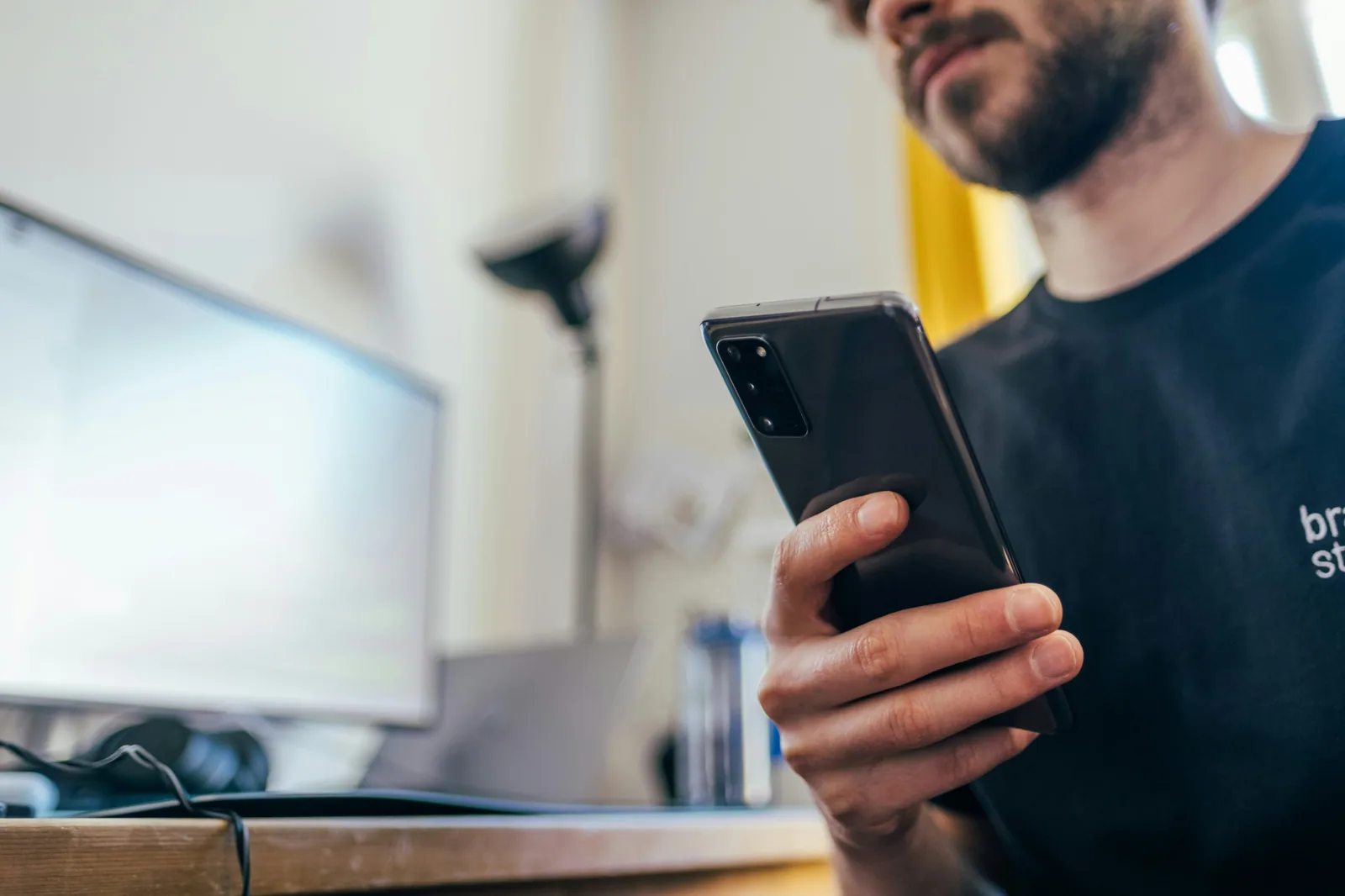
The Voyia app has arrived on Google Play and the App Store, putting Official WhatsApp API customer service in the pocket of every agent. Existing Voyia users can now take over, reply to, and close conversations from their mobile, using the same web panel login. Below, I'll explain what the app does, what remains exclusively on the web panel, its cost, and in which situations it truly makes a difference.
Summary
The Voyia app (version 1.1.3) is available on Google Play and the App Store. It's free for existing Voyia subscribers.
In the app: real-time conversation list, text and image replies, received media, audio transcription, 24-hour window notification, and actions to take over, transfer, close, and reopen.
Configuration, reports, message templates, virtual assistant, and credit purchases remain exclusively on the web panel.
Access is created by the company. There is no in-app registration.
It doesn't replace the web panel: it frees the agent from their desk when the operation demands it.
What the Voyia App Is and Who It's For
Voyia is Agathas Web's WhatsApp customer service platform. It runs on the Official WhatsApp API, using your company's official number, allowing an entire team to handle enquiries via the same number, each with their own login. Until now, this work was done via the web panel, accessed in a computer browser.
The Voyia app brings the day-to-day functions of this panel to your mobile. It's not a parallel WhatsApp Business account or a second number. It's the same inbox, the same conversations, and the same history, viewed on a different screen. What an agent replies to in the app appears on the web panel, and vice-versa.
The target audience is clear: businesses that already serve customers via WhatsApp with more than one person, and whose staff aren't desk-bound all day. This includes field sales representatives, on-site technicians, managers covering weekend shifts, or business owners who want to monitor the queue without opening their laptop.
I write this from the perspective of someone who has been implementing the Official WhatsApp API for years at Agathas Web. The most common question I hear from clients, after migrating from the standard WhatsApp app to the API, is always the same: 'What about when I'm out of the office?' The app is the answer to that question.
What You Can Do in the App and What Remains on the Web Panel
The division was intentional. Mobile handles what needs to be quick. The computer handles what requires attention and a larger screen.
On Mobile
Log in with your web panel credentials. The same email and password the agent already uses in their browser.
View real-time conversations, separated into tabs: My Chats, Unassigned, and All, with search functionality.
Reply with text and images, either by taking a photo instantly with the camera or choosing from the gallery.
View media sent by the customer: photos, documents, and audio messages.
Read audio transcriptions, useful when the agent is in a meeting or a noisy environment and cannot listen.
See the Meta 24-hour window notification within each conversation.
Take over, transfer, close, and reopen conversations.
Exclusively on the Web Panel
Account, number, and team configuration.
Reports.
Message templates (Meta-approved templates).
Virtual assistant.
Credit purchases.
| Task | Voyia App | Web Panel |
|---|---|---|
| Reply to customer with text or image | Yes | Yes |
| Listen to audio and read transcription | Yes | Yes |
| Take over, transfer, close, reopen | Yes | Yes |
| 24-hour window notification | Yes | Yes |
| Create and send message template | No | Yes |
| Team reports | No | Yes |
| Configure virtual assistant | No | Yes |
| Purchase credits and configure account | No | Yes |
In practice, this means the manager still needs a computer to set up the operation. The agent, however, does not necessarily.
How to Download and Log In to the Voyia App
The process is straightforward but has a specific order. Skipping the first step is the most common reason for 'the app won't let me log in'.
The manager creates the user in the web panel. Access is generated by the company that subscribed to Voyia. The app has no registration screen, and this is intentional: no outsider can register and land in your inbox.
The agent downloads the app from Google Play (Android) or the App Store (iPhone). Search for VOYIA.
Logs in with the same web panel credentials. Conversations appear instantly.
Grants camera and gallery permissions when prompted by the app, if sending images.
On Android, allow notifications. This is how the app alerts you to new messages.
Regarding requirements: on the App Store, the application is listed as free, without ads or in-app purchases, for iPhone with iOS 15.1 or later. The version published in the stores is 1.1.3.
Before Rolling Out the App to Your Team
Agree on three things in writing: who can respond via mobile, at what times, and what to do with conversations at the end of a shift. It might seem like bureaucracy, but it isn't. Without this agreement, the first weekend could turn into a dispute over who responded to what.
The 24-Hour Window on Mobile: The Alert That Prevents Rework
This is the feature most worth explaining, as it's where those transitioning from the standard WhatsApp app often get confused.
With the Official WhatsApp API, when a customer sends a message, a 24-hour customer service window opens. Within this window, the company can reply with a free-form message, typed on the spot. If the customer messages again, the clock restarts. If 24 hours pass without a new message from the customer, the rule changes: the company can only initiate contact with an approved message template. This is outlined in Meta's official documentation on sending messages.
The classic problem: an agent sees a conversation on their mobile at night, decides to reply 'tomorrow morning', and by the time they return, the window has closed. The reply then requires a template, which is created and sent via the web panel, and the customer has waited longer than necessary.
The Voyia app displays this notification within the conversation. In practice, it helps to prioritise: conversations with a closing window come first.
Why This Also Affects Costs
Since 1st October 2026, Meta has also started charging for service replies – those sent within the window – which were previously free. The announcement and rules are on the WhatsApp platform pricing page. On the Voyia page, Meta's fees are passed on without markup, in Brazilian Reais.
Replying within the window remains the cheapest and simplest method. Outside of it, a message template is required, which has its own category-based fee. I wrote about these changes in more detail in the post on the WhatsApp API changes calendar from 2026 to 2028.
Take Over, Transfer, and Close: Your Team's Routine in the App
What differentiates a team customer service app from individual WhatsApp accounts on mobile is conversation ownership. In Voyia, each conversation has an assigned agent, or it's unassigned, waiting for someone to pick it up.
The Unassigned Tab is Your Queue
Whoever is on duty checks the Unassigned tab and takes over. From that point, the conversation moves to My Chats, and colleagues know someone is already handling it. This eliminates the scenario of two agents replying to the same customer with conflicting information.
Transfer Without Losing History
Has the customer enquired about something outside your remit? Transfer them to the correct colleague directly through the app. The history goes with it, so the customer doesn't need to repeat themselves. A plan detail to note: transfers between agents presuppose more than one user. In the Starter plan, which has only one agent, this feature does not apply.
Close and Reopen
Close the conversation when the issue is resolved. This keeps your My Chats tab tidy and ensures web panel reports reflect reality accurately. If the customer returns with a query on the same topic, reopen it instead of starting from scratch.
A rule I recommend to every client: never leave a conversation assigned and abandoned at the end of a shift. Either close it, transfer it, or return it to the queue. A conversation stalled under the name of someone who has left means an unanswered customer.
When the Voyia App Truly Makes a Difference
Not every operation needs it. These are the situations where it pays for itself within the first month of use.
Field sales team. A salesperson is with a client, receives a query from another lead, and replies with a photo of the product taken on the spot. Previously, they would either wait to return to the office or reply via their personal WhatsApp, outside the official number.
Weekend and holiday cover. One person can manage the queue from their mobile without needing to take a laptop home.
On-site technical service. A technician receives a photo of a fault, views the image full-size, and immediately replies with guidance.
Business owner or manager monitoring the queue. The All tab shows what's happening without needing to call anyone.
Small operations not tied to a computer. Clinic, office, shop: staff who serve customers also do other things, away from their desk.
The common thread is that the customer continues to communicate with the company's official number. No commercial conversations scattered across personal mobiles, which is precisely the problem that leads so many businesses to move away from the standard WhatsApp app. If this transition hasn't yet happened in your company, the comparison Official WhatsApp API vs Unofficial API highlights the risks of staying in the middle ground.
When Not to Use the App (and Common Pitfalls)
Being honest about the limitations saves headaches during implementation.
When the App Isn't the Right Tool
For setting up the operation. Message templates, virtual assistant, reports, and configurations are all on the web panel. Don't look for them on mobile.
For those handling high volumes all day. Agents who spend eight hours replying will be more productive on a computer, with a keyboard and large screen. The app is a complement, not a workstation.
For campaigns. List broadcasts use approved templates and are managed on the web panel.
Common Pitfalls I See During Implementation
Personal mobile without screen lock. This contains customer conversations with personal data. Under UK GDPR and the Data Protection Act 2018, the company is responsible for this processing. Demand a password or biometrics on the device.
Employee leaving the company. Access was created by the company, so the company must revoke it on the same day, via the web panel. Conversation history remains the company's property, not the employee's.
Expectation of 24/7 replies. Having the app doesn't mean the team should reply at 11 pm. Define service hours and communicate them to the customer.
Relying solely on mobile notifications. On Android, the app notifies you of new messages. Even so, the routine of checking the Unassigned tab at agreed times ensures nothing is missed.
Replying outside the window without a template. If the 24-hour window has closed, the solution is a message template. Agree with the manager which templates to use to resume contact.
If your company is unsure how much of the conversation to leave to a bot and how much to human agents, it's worth reading chatbot or human customer service on WhatsApp before distributing the app to everyone.
How Much Does the Voyia App Cost?
The Voyia app has no separate price. It's free in the app stores and is part of Voyia's plans, which are charged per WhatsApp number, in Brazilian Reais, with no loyalty contract. The values below are from the Voyia pricing page as of 22/11/2026, and are illustrative of Brazilian market rates.
| Plan | Monthly Fee | Users | Key Feature/Note |
|---|---|---|---|
| Starter | R$ 149 | 1 agent | Single agent only; installation fee applies |
| Professional | R$ 349 | Up to 3 | Multi-agent with transfer and queue; installation fee applies |
| Business | R$ 749 | Up to 5 | Analytics and BI; no installation fee |
In addition to the monthly fee, Meta's per-message charges apply, passed on without markup. The annual plan offers a discount on the monthly rate.
The calculation I usually suggest to clients is simple. If the operation has staff who serve customers away from their desk, the app is the reason to consider the Professional or Business plans, as these offer shared queues and transfers. For a professional working alone, the Starter plan with the app is sufficient.
How Agathas Web Delivers This
Voyia is our product, built and maintained by Agathas Web, the same team that manages servers, managed hosting, Moodle, and Official WhatsApp API integrations for clients in Brazil and abroad. In practice, this is what you get:
Connection of your number to the Official WhatsApp API, with a step-by-step guide in the web panel. No QR Code and no risk of banning due to unofficial automation.
Multi-agent web panel with real-time inbox, queues, quick replies, message templates, segmented broadcasts, and reports.
Voyia app for Android and iPhone included, with the same web panel login.
AI integration in Professional and Business plans, using your own key (Claude, GPT, Gemini, DeepSeek).
Billing in Brazilian Reais with invoice and Meta's fees without markup.
Support in Portuguese, with documentation and videos to help your team gain autonomy.
How it works: you choose the plan, we connect your number, you create team users in the web panel, and each agent downloads the app and logs in with their own credentials. For Starter and Professional plans, please consult our sales team regarding the installation fee before finalising.
To view plans and speak with the team, visit the Voyia page. If your query is technical, such as migrating a number currently on the standard WhatsApp app, contact us via the same route: it's the type of implementation we handle every week.
Conclusion
The Voyia app solves a specific and common problem: teams using the Official WhatsApp API aren't always in front of a computer. With it, agents can take over, reply to, transfer, and close conversations from their mobile, view media and audio transcriptions, and see the 24-hour window before it closes. What requires planning, such as templates, reports, virtual assistants, and credits, remains on the web panel, where it belongs.
If your company already uses Voyia, create your users in the web panel and distribute the app today. If you're still using the standard WhatsApp app on personal mobiles, now is a good time to upgrade: explore Voyia's plans and put your company's official number in your team's pocket.
Related posts
Xfinity Outage: Business Continuity Lessons for UK Firms
The Xfinity outage took down TV, internet and even the support phone line. Discover what Comcast's failure teaches about avoiding single-channel dependency.

Customer Service During Strikes: Business Continuity with AI in the UK
Strikes by doctors, teachers, and transport workers can grind business to a halt. Discover how to keep customer service running with WhatsApp automation and AI agents.
Nubank Closure Message: What Went Wrong and What It Teaches UK Businesses
Around 20,000 customers received a notice that Nubank had been liquidated. It was false. Here's what happened and the lessons for UK firms.